Portal Arbitraje · by Lawar

The arbitral file, finally in order.

Parties, filings, notifications and Tribunal drafts in a single, secure digital workspace.
Request a demo
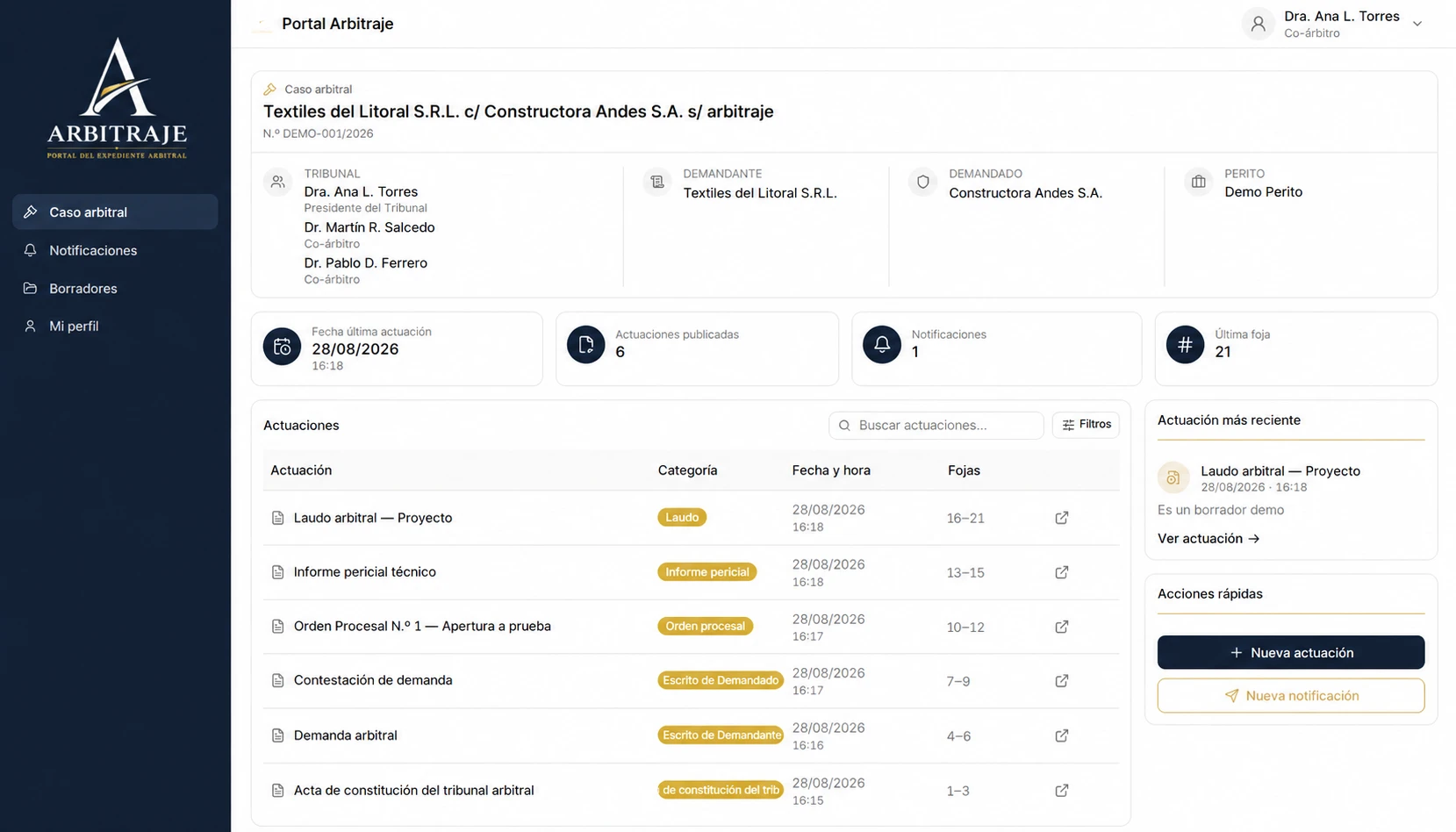
Portal Arbitraje: arbitral case view with the Tribunal, the parties, case indicators and the list of filings.

We work with

Platform

The whole arbitral process, in one case file.

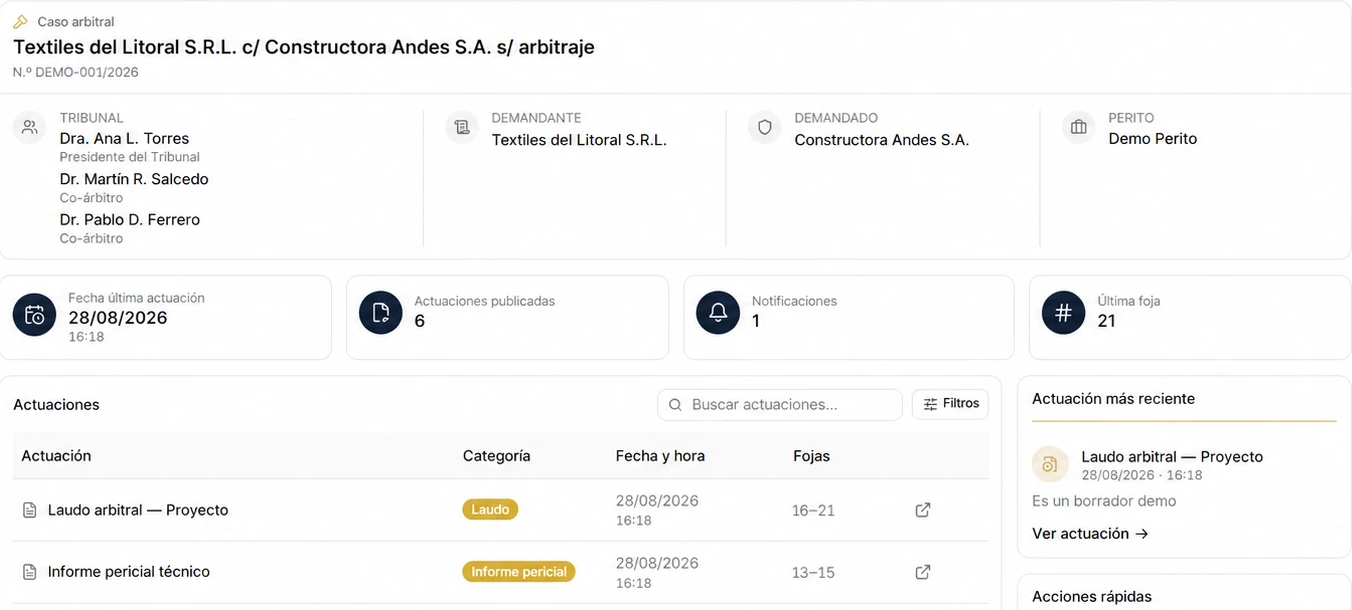
Arbitral case cover with Tribunal, claimant, respondent, expert and indicators.

Digital case file

Tribunal, parties and expert on the case cover, with the latest filing, published filings, notifications and the last folio in plain sight.

Filings and folio numbering

Every filing is published with its category, date and time, and folio numbering that carries on from one filing to the next.
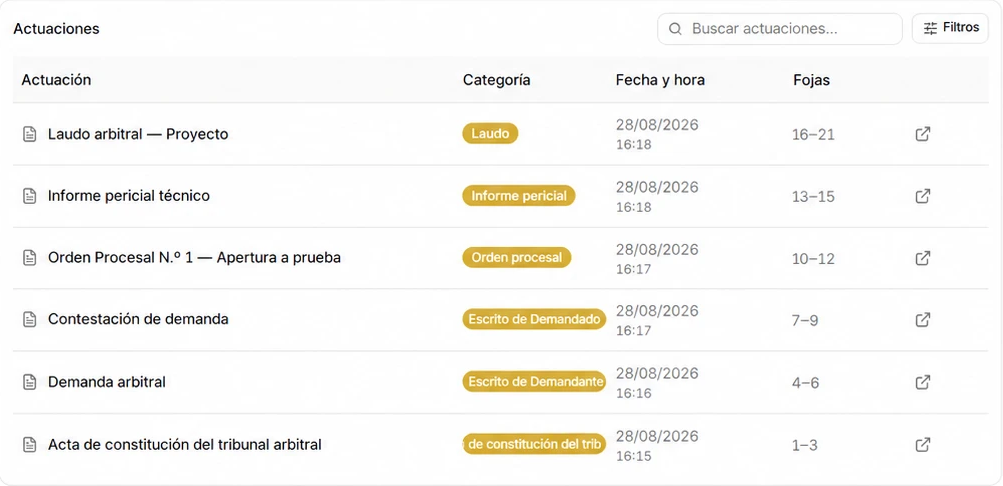
List of filings with categories, dates and folio ranges.

Private drafts

The Tribunal prepares filings before publishing them: drafts are visible to the Arbitral Tribunal only.
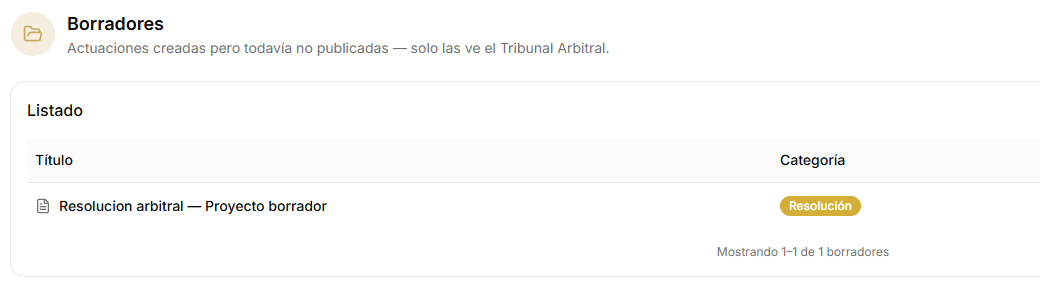
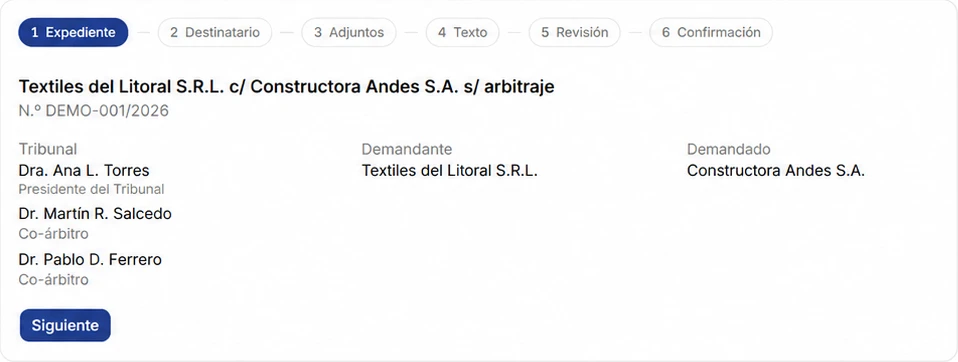
Drafts section with a resolution in preparation.
Notification wizard with its six steps.

Structured notifications

A six-step flow, delivered by email with secure access to the portal.

  1. 1Case
  2. 2Recipient
  3. 3Attachments
  4. 4Text
  5. 5Review
  6. 6Confirmation
Workflow

From case file to confirmation, in six steps.

Every notification follows the same path, so nothing is left to chance.

  1. 1CaseIt starts from the case: cover, Tribunal and parties.
  2. 2RecipientChoose who to notify: parties and/or expert.
  3. 3AttachmentsAdd the documents that go with the delivery.
  4. 4TextWrite the body of the communication.
  5. 5ReviewCheck everything before sending.
  6. 6ConfirmationSent by email with a secure link, and recorded.
Product

Portal Arbitraje, in motion.

A short walkthrough of the case file, filings, notifications and drafts.

Statistics

A solid process, end to end.

Figures that describe how Portal Arbitraje works, built for institutions that need order and control.

  • 24/7

    Secure access

    The case file available at any time from the browser, behind a protected login.

  • 6

    Notification steps

    Case, recipient, attachments, text, review and confirmation.

  • 1

    Centralised environment

    Tribunal, parties, filings, notifications and drafts, in a single place.

  • 360°

    Case file visibility

    Every filing, delivery and document in the case, visible to the right people.

Why us

Digital arbitration, simple and secure.

Built for arbitrators, parties and institutions that need order, access and confidentiality.

Your case file, wherever you are

Portal Arbitraje runs in the browser: open it from your computer or your phone, with nothing to install. Notifications arrive by email with a secure link to the portal.

  • From your phone
  • From anywhere
Professional checking Portal Arbitraje on their phone.

Simple and secure

Security at every layer

Case information is stored encrypted, with automatic backups. Each participant only accesses what their role allows, and every delivery is logged.

  • Encrypted system
  • Automatic backups
  • Role-based access
Person using a tablet with security icons: a padlock and a fingerprint.

Encrypted and backed up

Updates

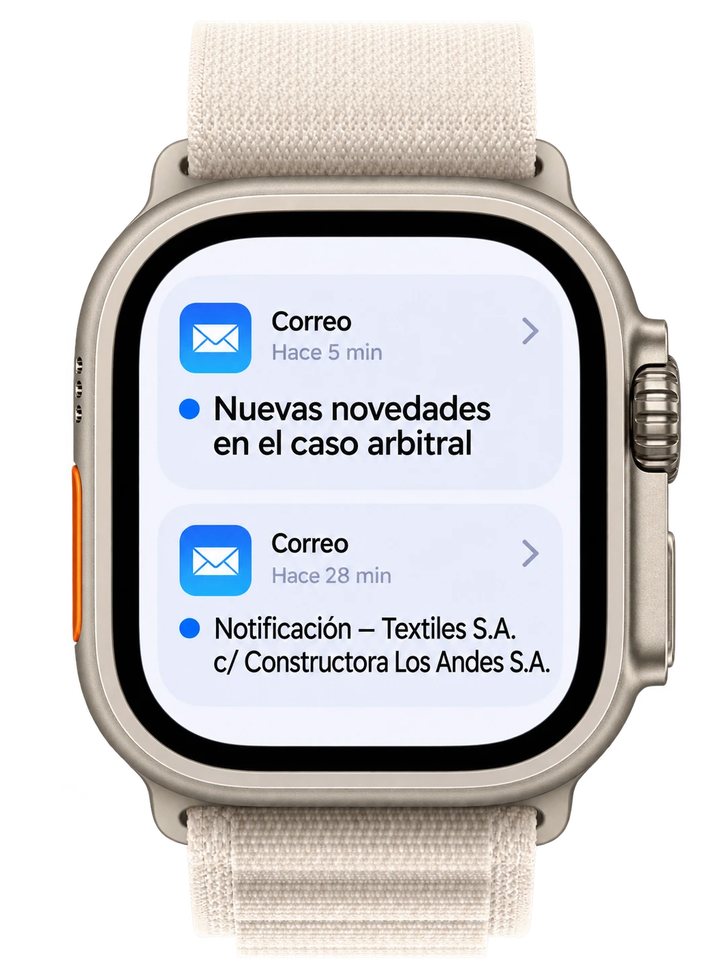
Stay on top of updates on your Apple Watch.

Apple Watch showing two mail notifications about an arbitral case.

Portal Arbitraje notifications arrive by email. If your mail reaches your Apple Watch, you hear about every case update without opening your computer.

See how notifications work
Testimonials

In the words of those who arbitrate.

Arbitrators, institutions and lawyers who manage their cases with Portal Arbitraje.

  • At last I have the whole case file in one place. I review filings and notifications from my phone, without relying on shared folders.
    Lucía BenítezCommercial arbitrator
  • It completely organised how we administer our cases. Every delivery is logged and the team knows which stage each notification is at.
    Martín EcheverríaArbitration centre director
  • I follow my clients' cases without requesting copies or forwarding emails. The notice arrives by email and I go straight to the case file.
    Carolina SosaParty counsel
  • I receive exactly the documents meant for me. It's clear, fast and I didn't have to install anything.
    Ricardo PazAccounting expert
  • The six notification steps gave us a method: nobody skips the attachments or the review before sending.
    Santiago IglesiasTribunal secretary
  • Drafts and continuous folio numbering save us a lot of back-and-forth when preparing each award.
    Florencia RíosLaw firm partner
Request a demo

See Portal Arbitraje with your case in mind.

Tell us about your arbitration practice and we will arrange a product demo.

We only use these details to answer your request.